
A Guide to Smart HVAC Upgrades for Tech Professionals in the Parmer Lane Corridor
Tech professionals in the Parmer Lane corridor need HVAC systems that match their connected lifestyle. Smart thermostats and integrated controls offer automation, energy savings, and remote access that align with your tech-savvy approach to home management. Fast and Professional Furnace Repair in Georgetown During the Winter Chill.
Why Smart HVAC Makes Sense for Tech Professionals
Smart HVAC systems integrate seamlessly with your existing tech ecosystem. Whether you use Google Home, Amazon Alexa, or Apple HomeKit, modern HVAC controls communicate through Wi-Fi and mobile apps. This integration allows you to adjust temperatures from your phone, set automated schedules, and receive maintenance alerts before problems occur. Modern HVAC Solutions for Historic Homes in Tarrytown and Old West Austin.
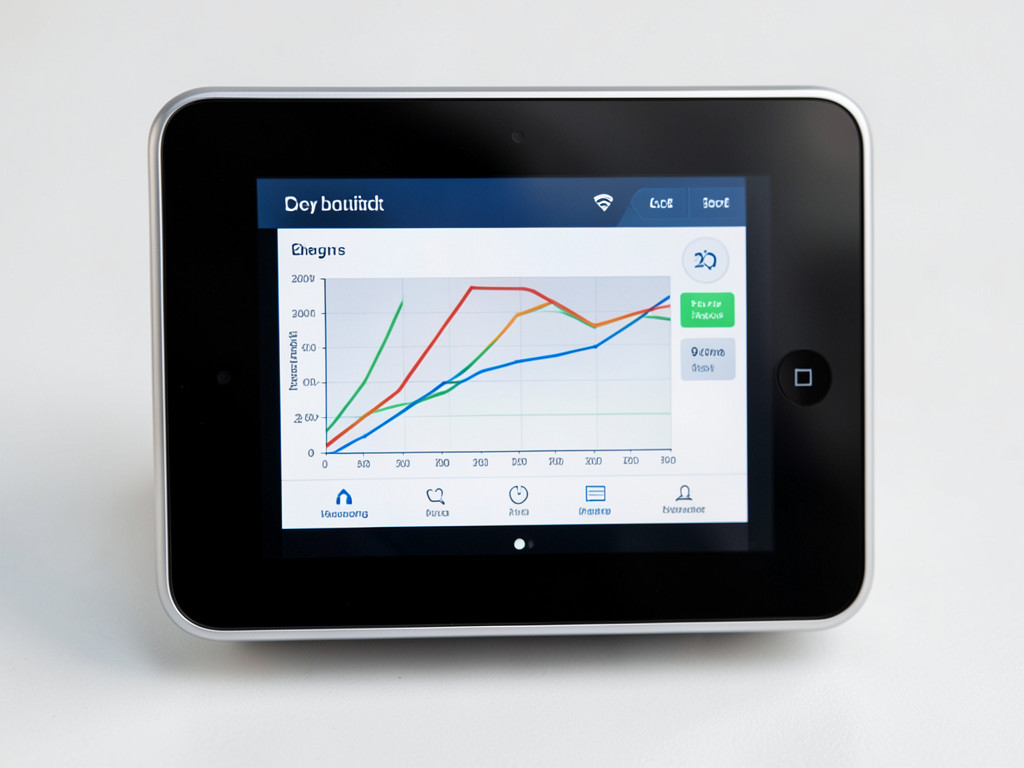
Energy efficiency becomes measurable with smart HVAC. Real-time usage data shows exactly how much energy your system consumes. Many tech professionals see 10-15% reduction in cooling costs through optimized scheduling and remote adjustments when away from home.
Supported Platforms and Compatibility
Smart thermostats work with most HVAC systems manufactured after 2010. However, older systems may require a C-wire for continuous power. Without this common wire, your smart thermostat may experience battery drain or intermittent connectivity.. Read more about Troubleshooting a Blank Thermostat Screen in Your Milwood Home.
Popular platforms include:
- Google Nest Learning Thermostat – adapts to your schedule automatically
- Ecobee SmartThermostat – includes room sensors for temperature balancing
- Honeywell Home T9 – works with HomeKit and Alexa
- Lennox iComfort – designed for Lennox HVAC systems
- Carrier Infinity – integrates with Carrier equipment
Communication protocols matter. Most smart thermostats use Wi-Fi, but some support additional protocols like Zigbee or Z-Wave for broader smart home integration. Matter protocol support is becoming standard in 2026, ensuring cross-platform compatibility.
Benefits for Austin’s Tech Corridor Homes
Austin’s climate creates specific challenges. Smart HVAC systems excel at humidity control – a critical feature when outdoor humidity regularly exceeds 70%. Smart thermostats can activate dehumidification cycles even when cooling isn’t needed, preventing mold growth and maintaining comfort. Austin Energy Power Partner thermostat rebates.
During ERCOT grid alerts, smart thermostats automatically adjust setpoints to reduce energy demand. This protects you from rolling blackouts while maintaining reasonable comfort levels. Many systems allow you to set preferences for how aggressively they respond to grid alerts. ERCOT grid reliability and smart thermostat integration.
Multi-zone capabilities benefit larger tech corridor homes. Smart dampers and room sensors direct conditioned air where needed, eliminating hot spots in upstairs bedrooms or home offices. This targeted approach reduces energy waste and improves comfort throughout your home.
The Installation Process: What to Expect
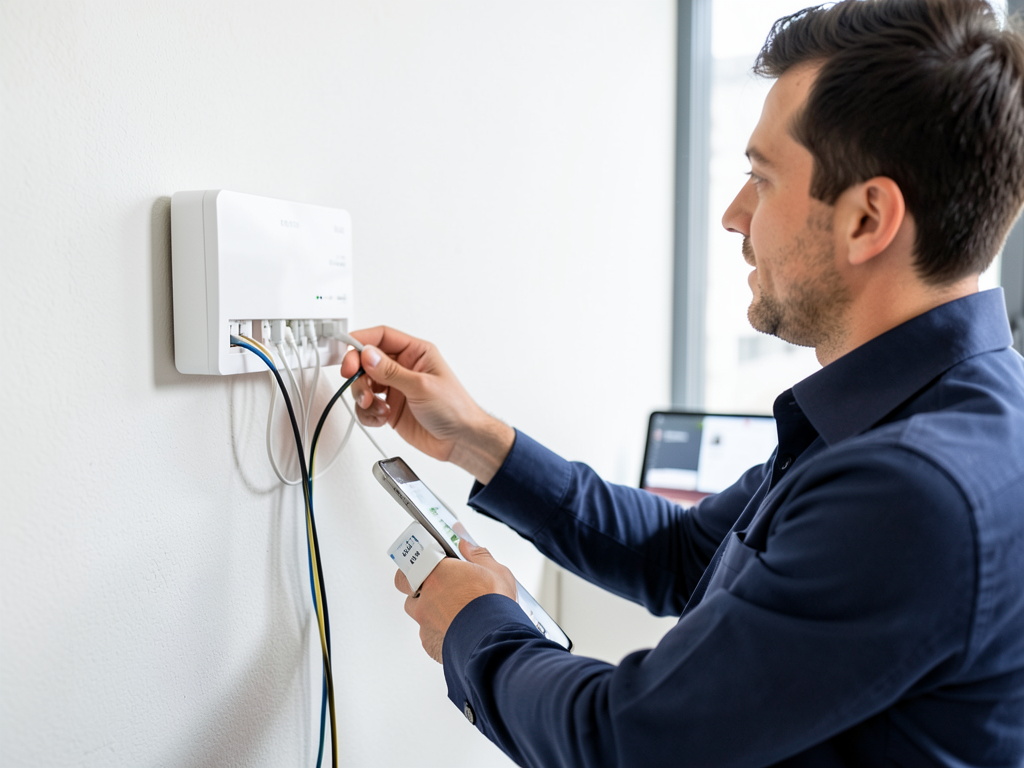
Professional installation ensures proper integration. The process typically includes:
- System Assessment
Technician evaluates your existing HVAC setup, checking wiring, voltage, and compatibility with smart controls.
- C-wire Verification
Confirms whether your system has a C-wire. If missing, options include running new wiring or using a power adapter.
- Thermostat Mounting
Removes old thermostat, installs mounting plate, and connects wiring according to manufacturer specifications.
- Network Configuration
Connects thermostat to your Wi-Fi network and configures initial settings through the mobile app.
- Integration Testing
Verifies communication with HVAC equipment and smart home platforms. Tests all features including remote access and scheduling.
Installation typically takes 1-2 hours for straightforward replacements. Complex integrations with zoning systems or multiple HVAC units may require additional time.
Local Austin Rebates and Incentives
Austin Energy offers Power Partner thermostat rebates up to $85 for qualifying smart thermostats. To qualify, your thermostat must be on their approved list and allow Austin Energy to make minor temperature adjustments during peak demand periods.
Federal tax credits remain available for high-efficiency HVAC equipment installed in 2026. While smart thermostats themselves don’t qualify for tax credits, they complement qualifying equipment upgrades. The credit covers 10% of costs up to $500 for qualified improvements.
Some Texas utilities offer additional incentives. Check with your specific provider about time-of-use rate programs that smart thermostats can help you optimize. These programs can reduce your energy costs by shifting usage to off-peak hours.
Smart HVAC Security and Privacy
Security matters for tech professionals. Smart HVAC systems use encrypted communication for all remote access. However, you should enable two-factor authentication on your thermostat app and use strong, unique passwords for your home network.
Data privacy varies by manufacturer. Some collect usage patterns to improve algorithms, while others minimize data collection. Review privacy policies before selecting a system. Most reputable brands allow you to opt out of data collection for algorithm improvement.
Network segmentation provides additional security. Consider placing your smart thermostat on a separate VLAN from your main network to limit potential access points for unauthorized users.
Integration with Advanced Home Automation
Smart HVAC works best as part of a comprehensive home automation strategy. Integration with motion sensors allows your system to enter energy-saving mode when no one is home. Window sensors can prevent heating or cooling when windows are open. Geothermal Heating & Cooling.
Voice control through Alexa, Google Assistant, or Siri enables hands-free temperature adjustments. You can say “set living room to 72 degrees” or “what’s the indoor temperature” without touching your phone.
Geofencing uses your smartphone’s location to automatically adjust temperatures when you leave or return home. This eliminates the need to remember to adjust settings manually.
Maintenance and Troubleshooting
Smart HVAC systems provide proactive maintenance alerts. They monitor run times, filter conditions, and system performance to notify you when service is needed. This prevents unexpected breakdowns and extends equipment life.
Common issues include Wi-Fi connectivity problems and software glitches. Most manufacturers offer remote troubleshooting through their apps. Some issues may require a service call, but many can be resolved through software updates or simple resets.
Filter replacement reminders help maintain efficiency. Smart thermostats track actual run time rather than calendar days, ensuring you replace filters based on actual usage rather than arbitrary schedules.
Cost Considerations and ROI
Smart thermostat costs range from $150 to $400 for the hardware, plus installation fees of $100 to $300. Basic models offer scheduling and remote access, while premium models include room sensors, learning algorithms, and advanced integration features.
Energy savings typically offset the investment within 2-3 years. The exact payback period depends on your current usage patterns, local energy rates, and how effectively you utilize the smart features. Local AC Repair and Cooling Experts in South Lamar and Barton Hills.
Additional costs may include C-wire installation if your system lacks one, or integration with existing zoning systems. These upgrades can add $200 to $500 to the project cost but often improve overall system performance.
Choosing the Right System for Your Home
Consider your existing smart home ecosystem when selecting a thermostat. If you use Apple products extensively, HomeKit compatibility matters. Android users might prefer Google Nest integration. Amazon Alexa users have the widest compatibility options.
Evaluate your HVAC system’s age and capabilities. Older systems may not support all smart features, particularly advanced zoning or variable-speed control. A professional assessment helps identify limitations and upgrade opportunities.
Think about your comfort priorities. Some users prioritize precise temperature control, while others focus on energy savings or air quality. Different systems excel in different areas, so align your choice with your specific needs.
Future-Proofing Your Investment
Technology evolves rapidly. Choose systems with over-the-air update capabilities to receive new features and security patches. Matter protocol support ensures your investment remains compatible with emerging smart home standards.
Consider scalability if you plan future home additions or renovations. Some systems allow easy expansion with additional sensors or integration with new HVAC equipment.
Professional installation provides long-term support. A qualified technician can help you navigate software updates, troubleshoot issues, and optimize settings as your needs change.
Frequently Asked Questions
Will a smart thermostat work with my existing HVAC system?
Most modern HVAC systems support smart thermostat integration. However, systems older than 10-15 years may have compatibility limitations. A professional assessment can determine your specific compatibility and identify any required upgrades.
How much can I really save with a smart thermostat?
Energy savings typically range from 10-15% for cooling and 5-10% for heating. Actual savings depend on your climate, usage patterns, and how effectively you utilize the smart features. Many users see payback within 2-3 years through reduced energy bills.
Can I install a smart thermostat myself?
While DIY installation is possible for simple replacements, professional installation ensures proper wiring, network configuration, and integration with your HVAC system. Incorrect installation can damage equipment or create safety hazards, particularly with older systems.
What happens if my internet goes down?
Smart thermostats retain basic scheduling and manual control functions even without internet connectivity. However, remote access and some advanced features require an active connection. Most systems automatically reconnect when service is restored.
Are smart thermostats vulnerable to hacking?
Reputable smart thermostats use encrypted communication and regular security updates. However, like any connected device, they can be vulnerable if not properly secured. Use strong passwords, enable two-factor authentication, and keep your home network secure.
Ready to Upgrade Your HVAC System?
Smart HVAC integration transforms how you control your home environment. From energy savings to enhanced comfort and convenience, the benefits align perfectly with the tech professional lifestyle in the Parmer Lane corridor.
Call (737) 316-0777 today to schedule your smart HVAC consultation. Our technicians understand the unique needs of tech professionals and can help you select the perfect system for your home and lifestyle.
Don’t wait for the next heatwave to upgrade your comfort and efficiency. Pick up the phone and call (737) 316-0777 before summer arrives in full force.
You may also find this helpful. Keeping Your Garage Workshop Cool Without Breaking the Bank in Cedar Park.
You may also find this helpful. Dealing with Hard Water Scale in Your Whole Home Humidifier in Round Rock.
You may also find this helpful. Finding the right whole home dehumidifier for humid South Menchaca summers.
You may also find this helpful. Is a heat pump water heater worth the upgrade for your Gracywoods property?.
{
“@context”: “https://schema.org”,
“@type”: “BlogPosting”,
“headline”: “A Guide to Smart HVAC Upgrades for Tech Professionals in the Parmer Lane Corridor”,
“description”: “Discover smart HVAC upgrades for your Parmer Lane corridor home. Learn about automation, energy savings, and integration with your tech ecosystem.”,
“wordCount”: 1577,
“datePublished”: “2026-05-03T14:06:00.000Z”,
“dateModified”: “2026-05-03T14:06:00.000Z”,
“inLanguage”: “en-US”,
“mainEntityOfPage”: {
“@type”: “WebPage”,
“@id”: “https://allprohvacaustin.com”
},
“publisher”: {
“@type”: “LocalBusiness”,
“name”: “All Pro HVAC Austin”,
“url”: “https://allprohvacaustin.com”
},
“author”: {
“@type”: “Organization”,
“name”: “All Pro HVAC Austin”,
“url”: “https://allprohvacaustin.com”
},
“image”: {
“@type”: “ImageObject”,
“url”: “https://allprohvacaustin.com/wp-content/uploads/2026/03/a-guide-to-smart-hvac-upgrades-for-tech-profession-1.png”
}
}
{
“@context”: “https://schema.org”,
“@type”: “HVACBusiness”,
“name”: “All Pro HVAC Austin”,
“url”: “https://allprohvacaustin.com”,
“address”: {
“@type”: “PostalAddress”,
“addressLocality”: “Austin”
},
“areaServed”: {
“@type”: “City”,
“name”: “Austin”
}
}
{
“@context”: “https://schema.org”,
“@type”: “FAQPage”,
“mainEntity”: [
{
“@type”: “Question”,
“name”: “Will a smart thermostat work with my existing HVAC system?”,
“acceptedAnswer”: {
“@type”: “Answer”,
“text”: “Most modern HVAC systems support smart thermostat integration. However, systems older than 10-15 years may have compatibility limitations. A professional assessment can determine your specific compatibility and identify any required upgrades.”
}
},
{
“@type”: “Question”,
“name”: “How much can I really save with a smart thermostat?”,
“acceptedAnswer”: {
“@type”: “Answer”,
“text”: “Energy savings typically range from 10-15% for cooling and 5-10% for heating. Actual savings depend on your climate, usage patterns, and how effectively you utilize the smart features. Many users see payback within 2-3 years through reduced energy bills.”
}
},
{
“@type”: “Question”,
“name”: “Can I install a smart thermostat myself?”,
“acceptedAnswer”: {
“@type”: “Answer”,
“text”: “While DIY installation is possible for simple replacements, professional installation ensures proper wiring, network configuration, and integration with your HVAC system. Incorrect installation can damage equipment or create safety hazards, particularly with older systems.”
}
},
{
“@type”: “Question”,
“name”: “What happens if my internet goes down?”,
“acceptedAnswer”: {
“@type”: “Answer”,
“text”: “Smart thermostats retain basic scheduling and manual control functions even without internet connectivity. However, remote access and some advanced features require an active connection. Most systems automatically reconnect when service is restored.”
}
},
{
“@type”: “Question”,
“name”: “Are smart thermostats vulnerable to hacking?”,
“acceptedAnswer”: {
“@type”: “Answer”,
“text”: “Reputable smart thermostats use encrypted communication and regular security updates. However, like any connected device, they can be vulnerable if not properly secured. Use strong passwords, enable two-factor authentication, and keep your home network secure.”
}
},
{
“@type”: “Question”,
“name”: “Ready to Upgrade Your HVAC System?”,
“acceptedAnswer”: {
“@type”: “Answer”,
“text”: “Smart HVAC integration transforms how you control your home environment. From energy savings to enhanced comfort and convenience, the benefits align perfectly with the tech professional lifestyle in the Parmer Lane corridor.”
}
}
]
}
{
“@context”: “https://schema.org”,
“@type”: “HowTo”,
“name”: “Smart HVAC Installation Process”,
“step”: [
{
“@type”: “HowToStep”,
“position”: 1,
“name”: “System Assessment”,
“text”: “Technician evaluates your existing HVAC setup, checking wiring, voltage, and compatibility with smart controls.”
},
{
“@type”: “HowToStep”,
“position”: 2,
“name”: “C-wire Verification”,
“text”: “Confirms whether your system has a C-wire. If missing, options include running new wiring or using a power adapter.”
},
{
“@type”: “HowToStep”,
“position”: 3,
“name”: “Thermostat Mounting”,
“text”: “Removes old thermostat, installs mounting plate, and connects wiring according to manufacturer specifications.”
},
{
“@type”: “HowToStep”,
“position”: 4,
“name”: “Network Configuration”,
“text”: “Connects thermostat to your Wi-Fi network and configures initial settings through the mobile app.”
},
{
“@type”: “HowToStep”,
“position”: 5,
“name”: “Integration Testing”,
“text”: “Verifies communication with HVAC equipment and smart home platforms. Tests all features including remote access and scheduling.”
}
],
“image”: “https://allprohvacaustin.com/wp-content/uploads/2026/03/a-guide-to-smart-hvac-upgrades-for-tech-profession-1.png”
}
{
“@context”: “https://schema.org”,
“@type”: “BreadcrumbList”,
“itemListElement”: [
{
“@type”: “ListItem”,
“position”: 1,
“name”: “Home”,
“item”: “https://allprohvacaustin.com”
},
{
“@type”: “ListItem”,
“position”: 2,
“name”: “Blog”,
“item”: “https://allprohvacaustin.com/blog”
},
{
“@type”: “ListItem”,
“position”: 3,
“name”: “A Guide to Smart HVAC Upgrades for Tech Professionals in the Parmer Lane Corridor”
}
]
}
{
“@context”: “https://schema.org”,
“@type”: “Service”,
“serviceType”: “HVAC”,
“provider”: {
“@type”: “LocalBusiness”,
“name”: “All Pro HVAC Austin”,
“url”: “https://allprohvacaustin.com”
},
“areaServed”: {
“@type”: “City”,
“name”: “Austin”
},
“description”: “Discover smart HVAC upgrades for your Parmer Lane corridor home. Learn about automation, energy savings, and integration with your tech ecosystem.”
}